
2.9 KiB
myCobotROS

Notes:
Make sure that
Atomis flashed into the top Atom andTransponderis flashed into the base Basic .The tool download address: https://github.com/elephantrobotics/myCobot/tree/main/Software
ubuntu: 16.04LTS
ros version: 1.12.17
If your Atom is 2.3 or before, or pymycobot is 1.*, Please check branch before
Download ROS http://wiki.ros.org/ROS/Installation
1. Installation
1.1 Pre-Requriements
For using this package, the Python api library should be installed first.
pip install pymycobot --user
1.2 Package Download and Install
Install ros package in your src folder of your Catkin workspace.
$ cd ~/catkin_ws/src
$ git clone https://github.com/elephantrobotics/myCobotROS.git
$ cd ~/catkin_ws
$ catkin_make
1.3 Test Python API
cd ~/catkin_ws/src/myCobotROS
python scripts/test.py
2. Package Modules
2.1 Nodes
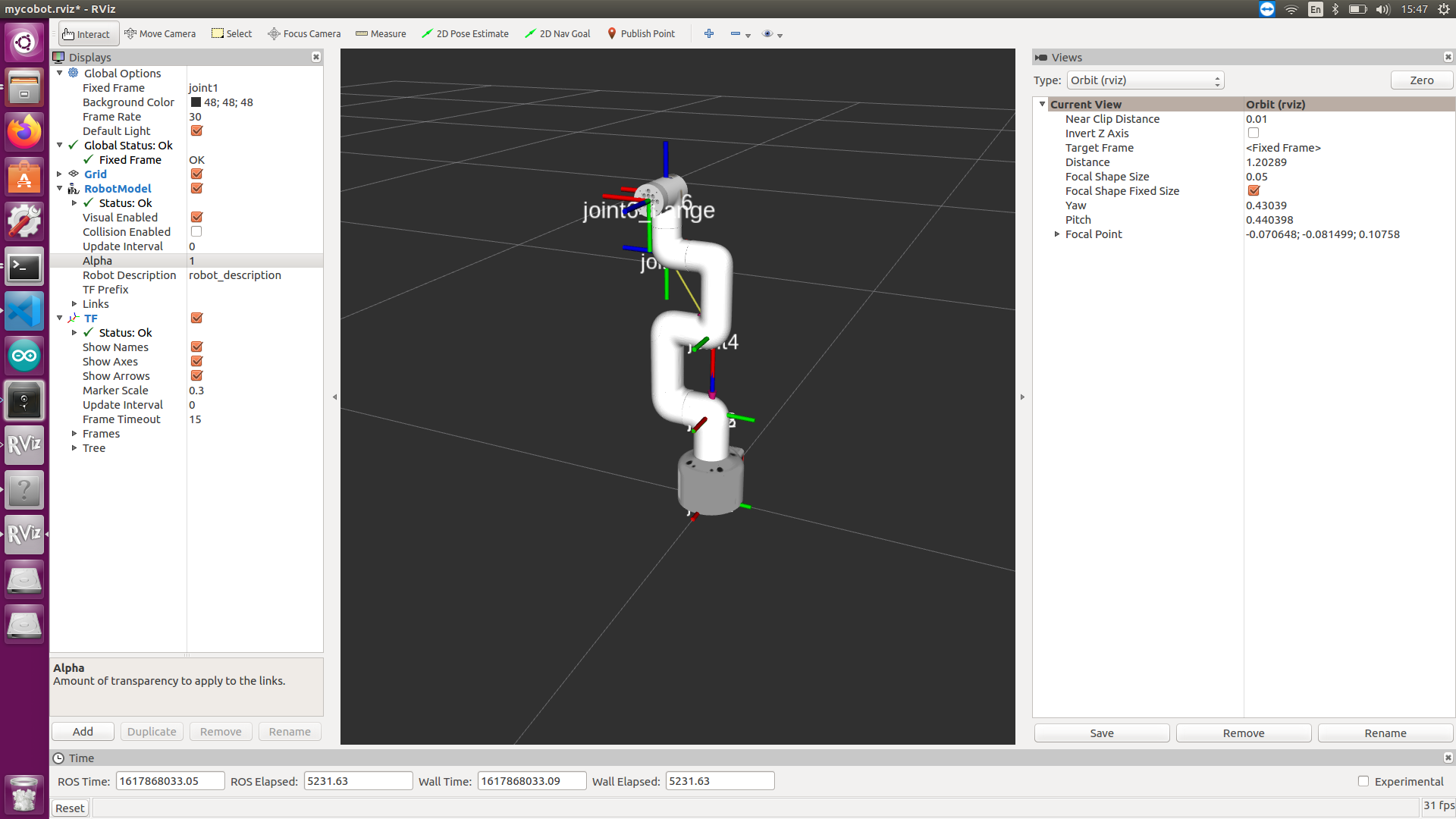
displayis a display node. When the node is running, the model of ROS will show the movement of mycobot synchronously.control_slideris the node which slider bar control.control_markeris the node which use interactive marker control.
2.2 Topics
-
joint_states- control mycobot status.Message_type: std_msgs/JointState Data: position[float, float, float, float, float, float]
3. Visualization in RViz
3.1 Functions
-
Visualization -- display.launch: This function will display robot arm movement in realtime when you manually move mycobot.
-
Control -- control.launch: This function will allow you use slider bar to control movement of the robot arm.
3.2 Lanuch and Run
-
Use slide bar to control
- launch ros and rviz
roslaunch myCobotROS control_slider.launch- run python script
rosrun myCobotROS control_slider.py -
The model moves with the real manipulator
- launch ros and rviz
roslanuch myCobotROS mycobot.launch- run python script
rosrun myCobotROS display.py
Q & A
Q: error[101]
A: Make sure that the serial port is not occupied, and that the correct firmware is burned in for atom and basic