| .github/workflows | ||
| demo_img | ||
| mecharm | ||
| myArm | ||
| Mybuddy | ||
| mycobot_280 | ||
| mycobot_320 | ||
| mycobot_ai | ||
| mycobot_communication | ||
| mycobot_description | ||
| mycobot_pro | ||
| mypalletizer_260 | ||
| res | ||
| ultraArm | ||
| .all-contributorsrc | ||
| .gitattributes | ||
| .gitignore | ||
| CHANGELOG.rst | ||
| CODE_OF_CONDUCT.md | ||
| CONTRIBUTING.md | ||
| docker-compose.yml | ||
| Dockerfile | ||
| LICENSE | ||
| README.md | ||
| test.py | ||

mycobot_ros



Control or simulate myCobot series robots in ROS.

Notes:
- Make sure that
Atomis flashed into the top Atom andTransponderorminirobotis flashed into the base Basic .The tool download address: https://github.com/elephantrobotics/myCobot/tree/main/Software - Supported ROS versions:
- Ubuntu 16.04 / ROS Kinetic
- Ubuntu 18.04 / ROS Melodic
- Ubuntu 20.04 / ROS Noetic
Installation
Option 1: Docker
There are two ways to run this project. The first is by running the project in a container, and this requires installing docker and installing docker-compose. The benefit of running in the container is that you can run the project in any version of linux, as long as your kernel is new enough.
Once docker is installed, run the following command, and the project should show up.
Without NVIDIA GPU:
ROS Noetic:
docker-compose build ros-noetic && xhost +local:root && docker-compose up ros-noetic
ROS Melodic:
docker-compose build ros && xhost +local:root && docker-compose up ros
With NVIDIA GPU
ROS Noetic:
docker-compose build nvidia-ros-noetic && xhost +local:root && docker-compose up nvidia-ros-noetic
ROS Melodic:
docker-compose build nvidia-ros && xhost +local:root && docker-compose up nvidia-ros
This command does three things:
-
docker-compose build rosThis builds the project in a container. That means nothing is installed on your host machine! The first time this runs, this command will take a long while. After running it once, caching will allow this command to run quickly.
-
xhost +local:rootThis command gives X the ability to display GUI's from within the docker container
-
docker-compose up rosThis runs the image specified in the
docker-compose.yml, which by default runs the commandroslaunch mycobot_320 mycobot_320_slider.launchwithin the container.
To run other tutorials, set the LAUNCH_TARGET environment variable. For example, to the run the MoveIt tutorial run:
export LAUNCH_TARGET=mycobot_320_moveit mycobot320_moveit.launch
docker-compose up ros
Option 2: Local
2.1 Pre-Requriements
For using this package, the Python api library should be installed first.
pip install pymycobot --user
2.2 Package Download and Install
Install ros package in your src folder of your Catkin workspace.
$ cd ~/catkin_ws/src
$ git clone --depth 1 https://github.com/elephantrobotics/mycobot_ros.git
$ cd ~/catkin_ws
$ catkin_make
$ source ~/catkin_ws/devel/setup.bash
$ sudo echo 'source ~/catkin_ws/devel/setup.bash' >> ~/.bashrc
2.3 Test Python API
cd ~/catkin_ws/src/mycobot_ros
python test.py
Where to get help
There is documentation in the ElephantRobotics Docs. Please check the ROS chapter.
Important Links & Docs
Contributing
Contributions are always welcome!
See CONTRIBUTING.md for ways to get started.
Please adhere to this project's code of conduct.
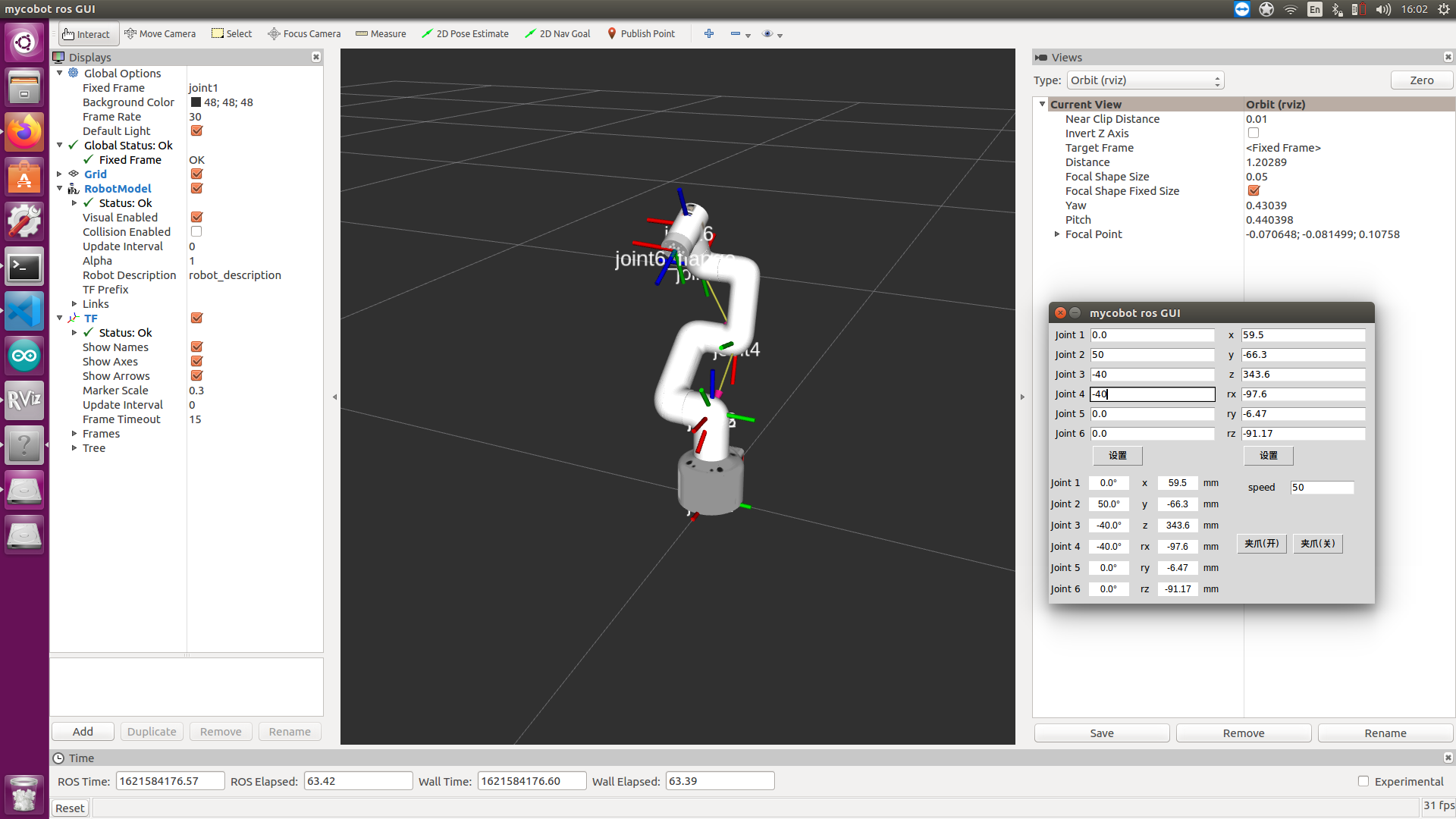
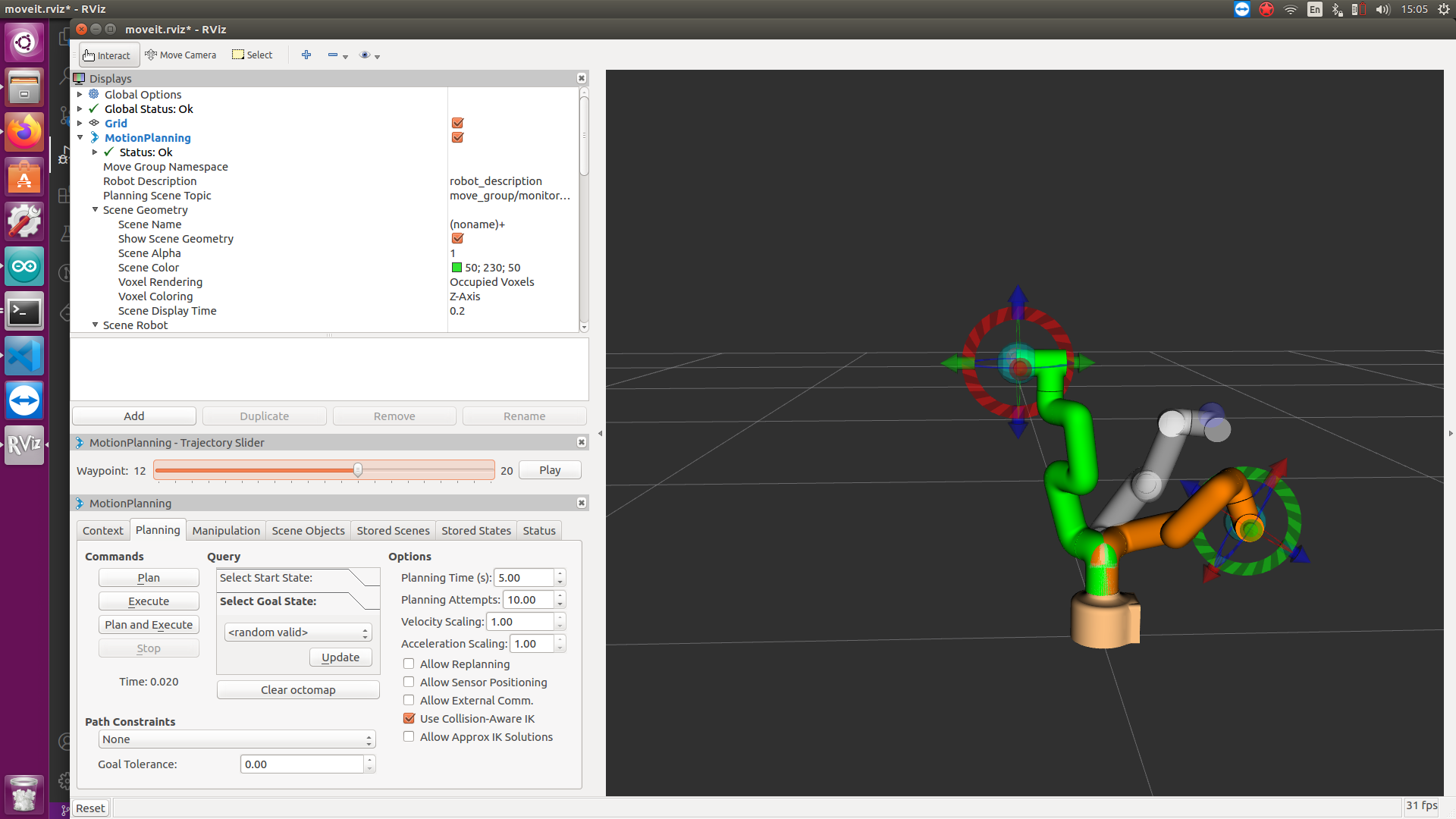
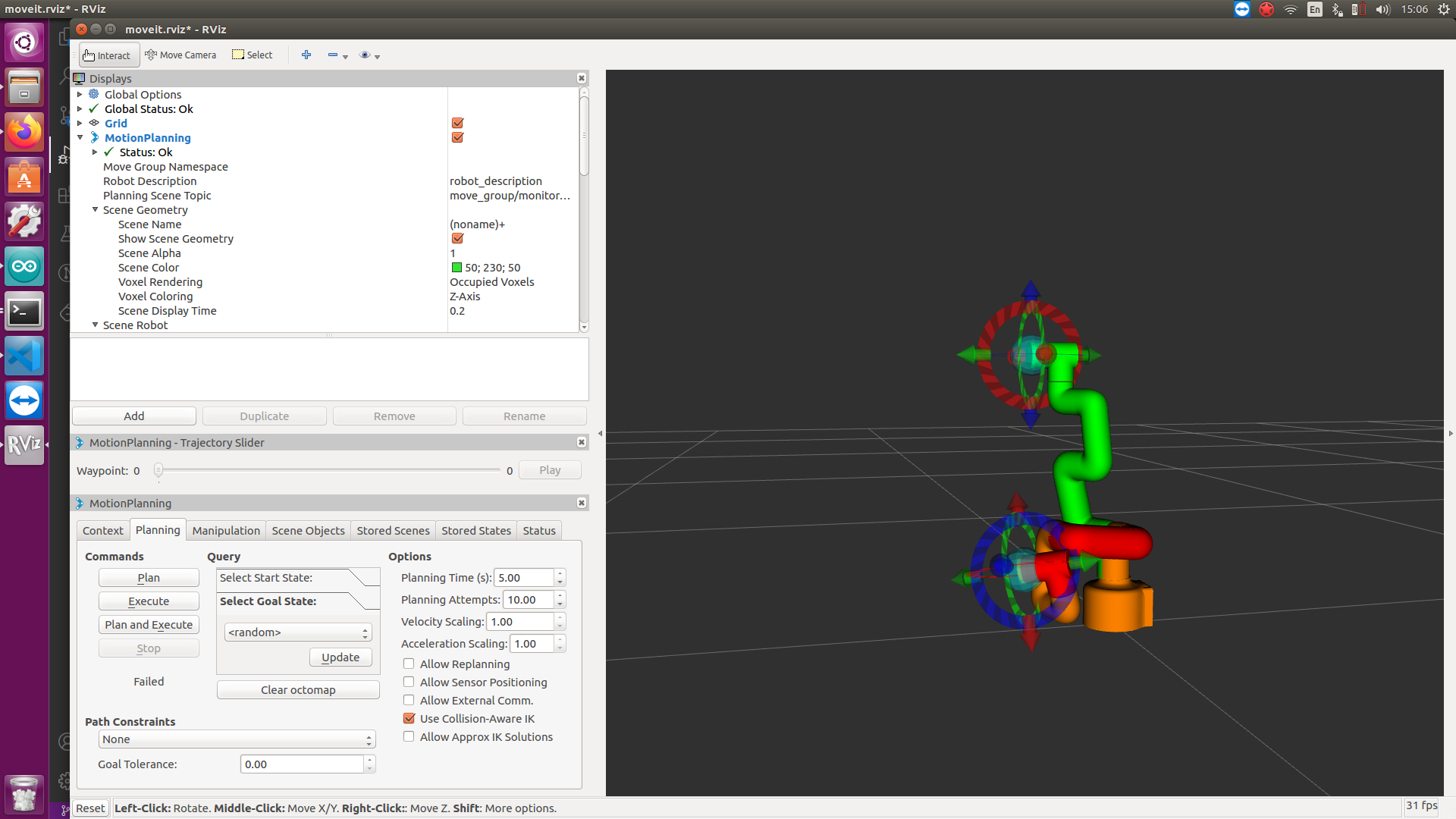
Screenshots



Contributors
Thanks goes to these people (Emoji Key):


This project follows the all-contributors specification. Contributions of any kind are welcome!
License
Licensed under standard three-clause BSD license (same as ROS Core), Copyright 2020-2023 Elephant Robotics. Copy of the license.